
Who does what, and by when, across all your grants
Submit, correct, appeal and report: every grant comes with its own to-do list. Here they are all together, with an owner and a date, and whatever is due this week comes first.
- Every task of every grant, on one board
- An owner and a date on each one
- Your team inside, with the roles you choose
Try any paid plan free for 30 days.
What you can do
One board for everything pending
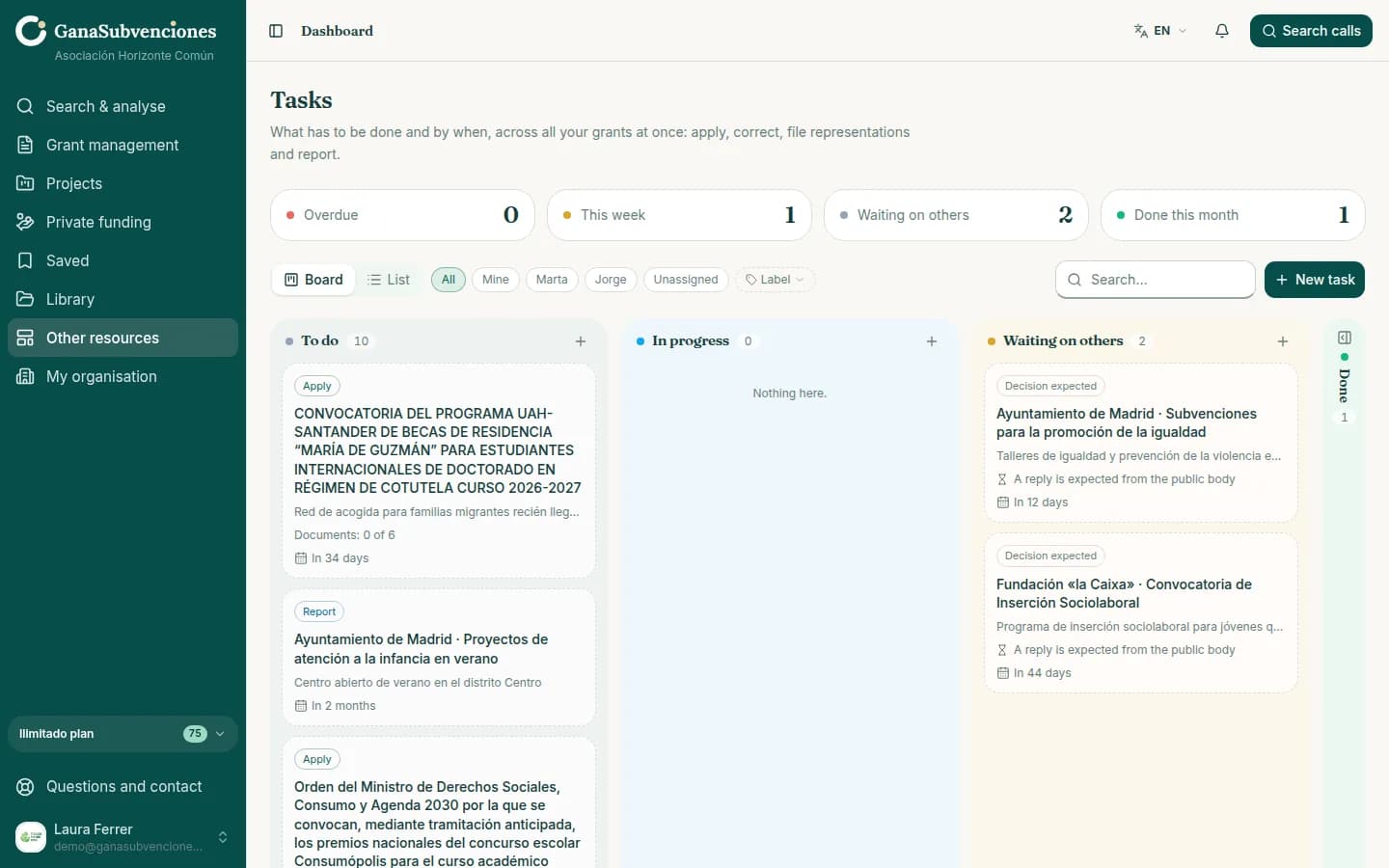
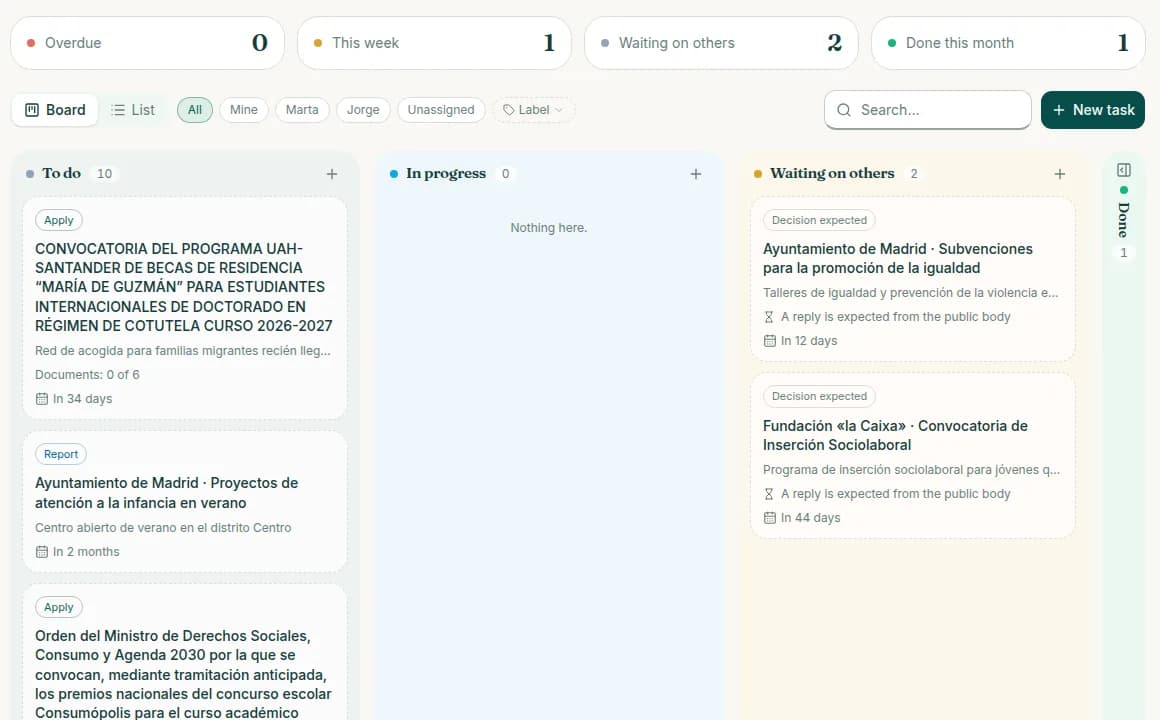
To do, in progress, waiting on others and done. Each card says which grant it belongs to and when it is due. At the top, how many are overdue and how many are due this week.
Every grant, at its stage
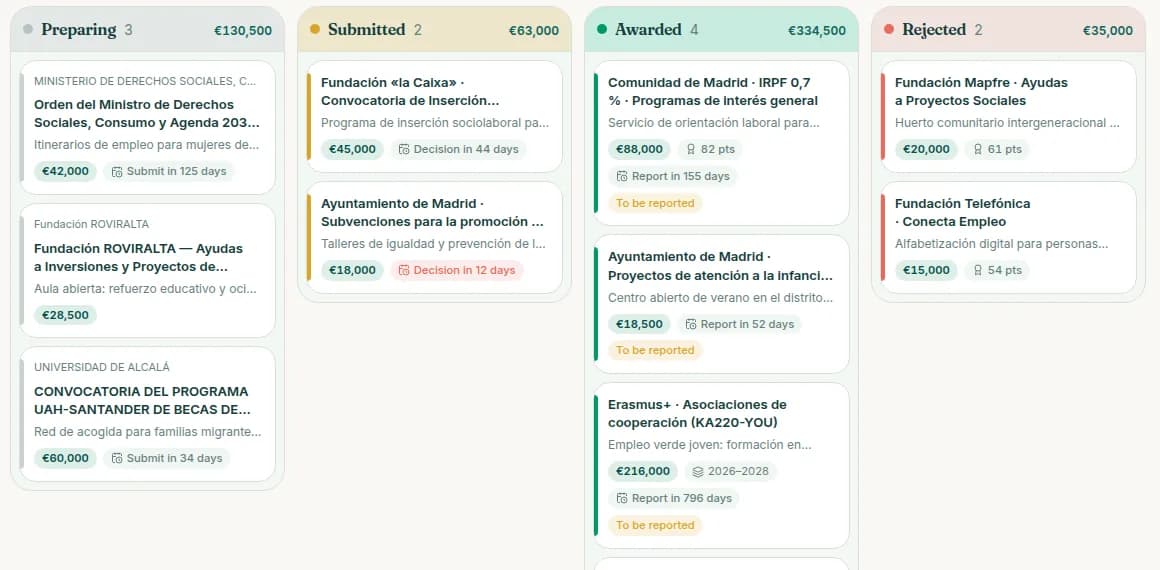
The grants board sorts them by stage: preparing, submitted, awarded or rejected. Each card shows the amount and the next deadline.
Your team, inside
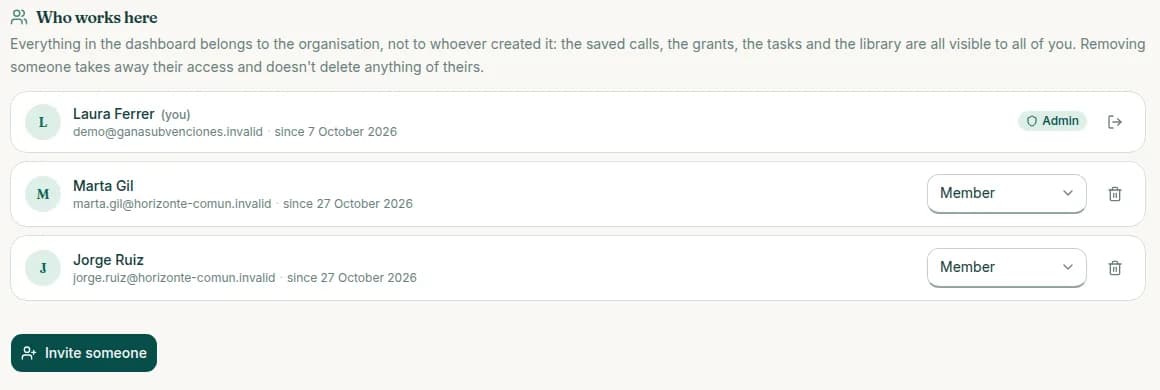
Invite the people you work with. Everything belongs to the organisation, not to whoever created it: if someone leaves, their work stays.
- People included depending on the plan, and more with extra seats
- Every task and every document with its owner
- Email reminders of upcoming deadlines
How it works
- 1
Tasks appear on their own
When you add a grant, its tasks are created: submitting it and preparing the documents the rules ask for.
- 2
Assign them
Each one with an owner and a date. Add your own whenever you like.
- 3
Follow the board
Move each card as it progresses. What is overdue and what is due this week, always in view.
With sample data
An example: a week at Asociación Horizonte Común
Three people, eleven grants and ten tasks to do. Two are waiting for a public body to reply, one is due this week and none is overdue.
- to do
- 10
- due this week
- 1
- overdue
- 0
Frequently asked questions
Try it with your organisation
Free account, no card. Four questions and you have your profile and the calls that fit you.
Start free